
How to set a Co-Ordinate System in X-PAD Ultimate
How to set a Co-ordinate System
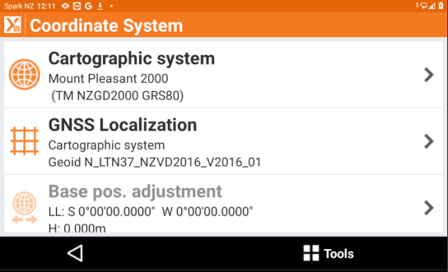
From the home screen in X-PAD Tap Co-ordinate system
Tap Cartographic System
Select Yes to set a predefined system
Select the dropdown arrow of the user group to find New Zealand
Select the system (Mount Pleasant 2000)
Tap Accept
Tap the next icon
Select the NZVD Geoid (Geoid LTN)
Co-ordinate system will now be set in terms of Christchurch