
How to Export Datasets in X-PAD Ultimate
How to Export Data
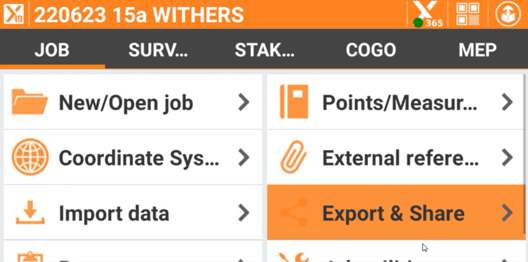
Open X-PAD Ultimate in the home screen
Select Export & Share
Select the data format required for exporting
Edit the exporting parameters
Select Accept
Select how the data should be exported
Share File via email
Select Gmail
Email the dataset